PDF to MusicXML converter

Upload a sheet music PDF and get an editable MusicXML file back, ready for MuseScore, Sibelius, Finale or Dorico. Scanned or exported, up to 10 pages per file.

Why convert a PDF to MusicXML

A PDF is a picture of the music: you can print it, but you can't change a note, transpose it or extract a part. MusicXML is the score itself, note by note, and every major notation program opens it. Converting saves you from typing the whole piece in again by hand.

Scanned PDFs work too

Many PDFs, from libraries, teachers or old books, are scans with no music data inside. Paper to Score reads the notes from the image with optical music recognition (OMR), so it doesn't matter how the PDF was made. A clear scan at 300 dpi gives the best result.

After the conversion

Play the result in the page and compare it with your PDF before you download. Then open the MusicXML in your notation program to fix any wrong notes, add dynamics, transpose for another instrument or print a new part. You also get MIDI and a freshly engraved PDF from the same conversion.

From a phone photo to a clean score

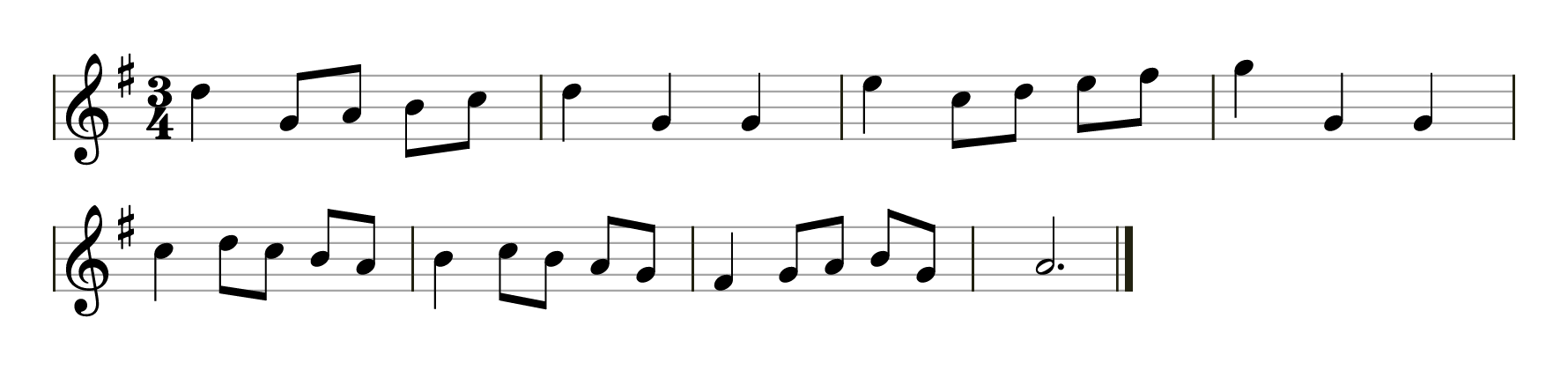
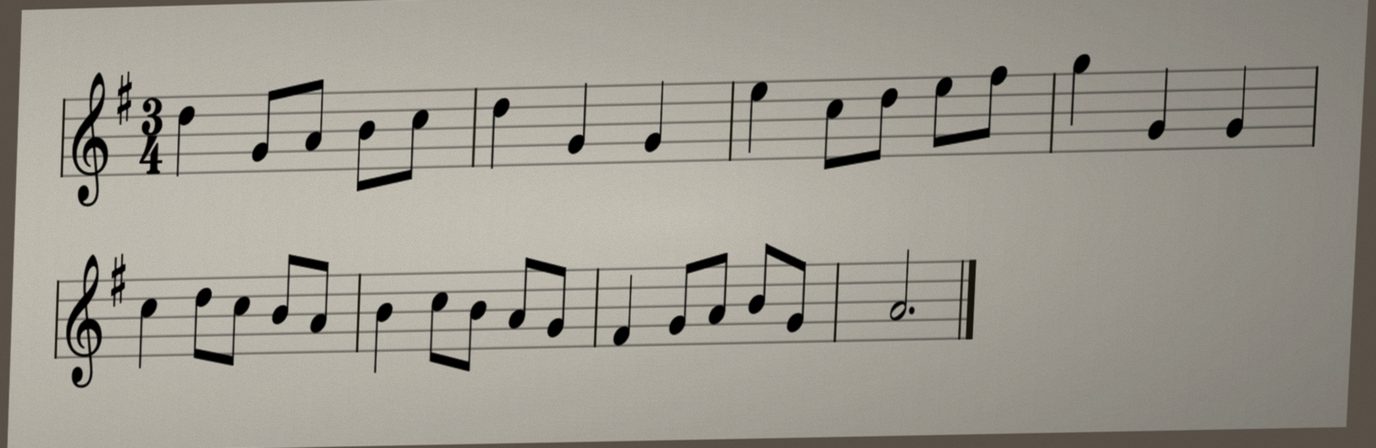
The first bars of Bach's Minuet in G: the page as a phone sees it, and the score you get back, ready to play, edit or print. (Illustration.)

The same eight bars of the Minuet in G as a clean, engraved score converted to MusicXMLPhone photo of a printed page of sheet music: the first eight bars of the Minuet in G, slightly tilted, in uneven lightYour photoYour score

How to scan sheet music

Three steps, in the browser on your phone or computer. Nothing to install.

  1. Take a photo or upload a file

    Photograph a page with your phone, or drop a scanned PDF, a JPG or PNG image, or a MIDI file. A PDF can have up to 10 pages; you can also paste an image or a link to a file.

  2. We read the notes

    Optical music recognition (OMR) finds the staves, clefs, key and time signatures, notes, rests and their rhythms, and rebuilds the piece as a real score, bar by bar.

  3. Play it, check it, download it

    Listen to the result, compare it with your page, and download MusicXML for MuseScore, Sibelius, Finale or Dorico, a clean PDF to print, or MIDI for your DAW.

Opening the MusicXML in your notation program

MuseScore, Sibelius, Finale and Dorico

In MuseScore choose File › Open and pick the .musicxml file; it opens as a new score you can edit straight away. Sibelius opens it with File › Open too and asks how to map the instruments. In Finale use File › Import › MusicXML, and in Dorico File › Import › MusicXML. Noteflight and Flat import it from their score lists in the browser. Prefer a quick look first? Play the result on this page before you download anything.

Multi-page PDFs and long scores

A PDF of up to 10 pages converts in one go and comes back as one score, with the pages joined in order. Each page counts once against your pages; a very dense page with more than 50 bars counts as more than one. For a long work, split the PDF by movement so each part is easy to check. If only a few pages matter, upload just those: you can export single pages from most PDF viewers with Print › Save as PDF.

Getting a clean result from a PDF

Exported PDFs from notation software convert best, because every line is sharp. For scans, 300 dpi in black and white or greyscale is ideal; below 150 dpi noteheads start to blur together. Slightly crooked scans are fine, but cut-off staves, handwritten fingerings over the notes and heavy library stamps can confuse the reading. If your PDF is a photo of a page rather than a scan, the photo to sheet music tips apply too.
Pricing

Start free. Need more? Buy pages once: no subscription, and bought pages never expire.

Free

0

1 page without an account, then 3 pages every month with a free account.

Start converting

20 pages


One payment. Use them whenever you like, on any device.

Buy 20 pages
Best value

60 pages


One payment. Use them whenever you like, on any device.

Buy 60 pages

150 pages


One payment. Use them whenever you like, on any device.

Buy 150 pages

Prices include VAT where it applies and are shown in your currency. A page with more than 50 bars counts as more than one. Unused pages can be refunded within 14 days.

Questions

Is converting a PDF to MusicXML free?

The first page is free without an account, and a free account converts 3 pages every month. Longer PDFs use page packs, bought once with no subscription.

Does it work with PDFs from IMSLP?

Yes. Most IMSLP files are scans of old printed editions, which is exactly what optical music recognition reads. Very old or faint engravings give more mistakes, so pick the cleanest edition available.

What is the difference between MusicXML and MXL?

MXL is the same MusicXML, compressed into a zip file. Every program that reads one reads the other; we give you the plain .musicxml file, which is easier to inspect and works everywhere.

Can I convert a PDF to MuseScore format?

Download the MusicXML and open it in MuseScore, then save it there: MuseScore stores it as its own .mscz file. Going through MusicXML is how MuseScore imports any score from another program.

Will my PDF be shared with anyone?

No. Your file is stored privately for you only, never shared or used for training, and the uploaded original is deleted after 7 days.

Scan your first page now

Free, in your browser, no account needed.

Upload sheet music